Best Coding Toys for Beginners Ages 6–8
Four current coding toys for ages 6 to 8, compared by screen use, command depth, first-session setup, and what the child actually does.
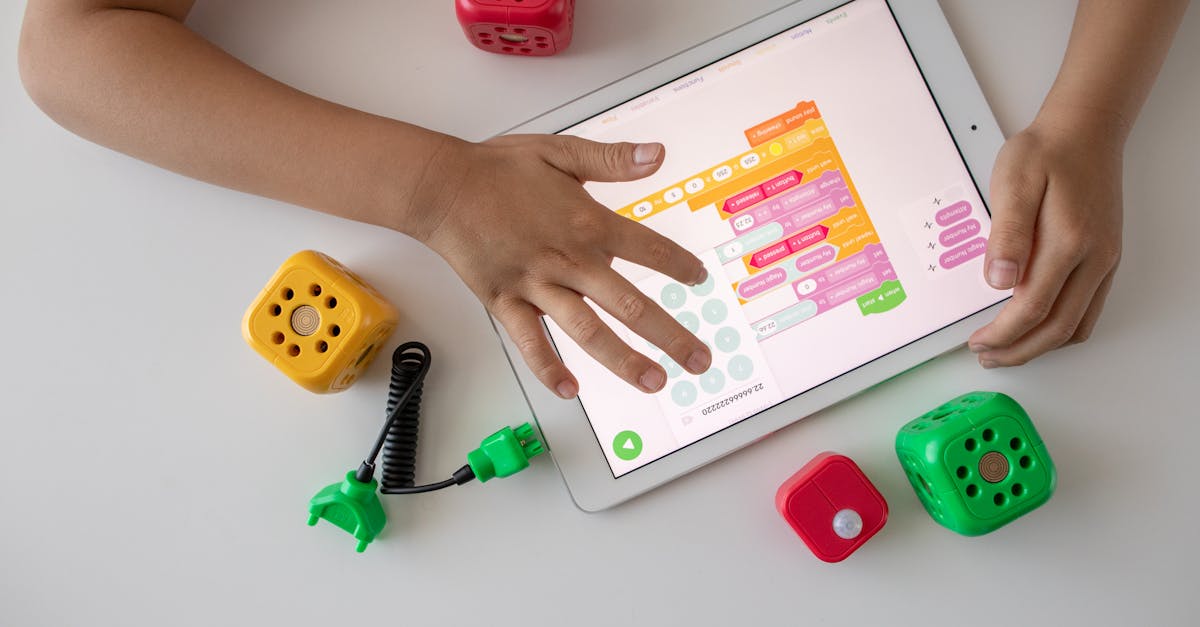
Snapshot
| Toy | Age | Price | Best for | Link |
|---|---|---|---|---|
| #1 Learning Resources Code & Go Robot Mouse Activity Set | 4+ | Check current price | A screen-free first coding loop with an included maze, cards, and targets | Check Price |
| #2 Learning Resources Botley 2.0 The Coding Robot | 5+ | Check current price | Screen-free coding that can grow from short routes into loops and more involved challenges | Check Price |
| #3 Educational Insights Artie 3000 the Coding & Drawing Robot | 7+ | Check current price | A creative seven- or eight-year-old who wants code to create visible shapes and patterns | Check Price |
| #4 Makeblock Codey Rocky Robot Toy | 6+ | Check current price | A device-ready child who wants a robot with sensors, movement, lights, sound, and a deeper progression path | Check Price |
Affiliate links. Prices can change.
A good coding toy for ages six to eight makes the plan visible before it asks the child to manage a device, read dense instructions, or type. The useful loop is simple: choose commands, run them, notice what happened, and change one thing.
These exact Amazon.ca listings were current when checked. They are research-based recommendations, not hands-on test claims. Prices, stock, and device support can change, so each card uses an exact affiliate route rather than a fixed price.
Learning Resources Code & Go Robot Mouse Activity Set
The strongest first choice for most six- and seven-year-olds because the maze makes sequencing physical and the first goal is already in the box.
Quick Answer
Choose Robot Mouse Activity Set for a screen-free first route. Choose Botley 2.0 for a six- to eight-year-old who wants longer screen-free programs. Choose Artie 3000 for a seven- or eight-year-old who wants code to make a drawing. Choose Codey Rocky for a device-ready child who may eventually want sensors and Python.
Coding Critters is a valid 4+ product, but it is more likely to feel young to many eight-year-olds. This list prioritizes choices with a clearer fit for the stated age range.
What Changes Between Six and Eight
At six, many children need an obvious goal and a short sequence. A maze, a target, and a few cards are enough. By eight, some children can manage device setup with help, compare two versions of a program, and return to a more open-ended project. Do not buy the more complicated product solely because the child is older. Buy it when they enjoy changing and retrying a challenge.
Our Top 4 Picks
A screen-free first coding loop with an included maze, cards, and targets
Pros
- ✓ The maze creates a clear first task
- ✓ No app or account
- ✓ Commands can be planned and revised visibly
Cons
- ✗ Pieces need storage
- ✗ Requires batteries
- ✗ Limited path beyond directional sequences
Use Robot Mouse when a child needs to see the whole problem. Make a route with one turn, lay out the cards, enter the same sequence, and press Go. A miss gives the child a concrete debugging question: which direction was wrong? Avoid making a complicated maze before the first success.
Screen-free coding that can grow from short routes into loops and more involved challenges
Pros
- ✓ No app or account for core play
- ✓ Longer routes and loops than a basic button robot
- ✓ Physical feedback stays clear
Cons
- ✗ Needs five AAA batteries
- ✗ Cards and obstacles need a home
- ✗ Not for a child already asking for typed programming
Botley is the better next step when Robot Mouse-style routes look too easy. The child writes the plan on the remote programmer, sends it, and watches the robot carry it out. The important difference is that they plan first rather than steer live. Start with a clear floor, a target, and a short route. Keep loops and extras for the next session.
A creative seven- or eight-year-old who wants code to create visible shapes and patterns
Pros
- ✓ A program produces a drawing on paper
- ✓ Several coding pathways
- ✓ Good feedback for a child who likes visual work
Cons
- ✗ Requires a compatible device
- ✗ Needs paper, markers, and a level surface
- ✗ More adult setup than screen-free robots
Artie is useful when drawings are the motivation. Load one simple program, change one value, and compare the new result. That makes a coding change visible without needing an abstract explanation. It is a poor choice when a family does not have the right device ready, because the first session should not be spent on connection issues.
A device-ready child who wants a robot with sensors, movement, lights, sound, and a deeper progression path
Pros
- ✓ Block coding and a later Python path
- ✓ Multiple visible outputs
- ✓ More room to grow than a route-only robot
Cons
- ✗ Requires charging, software, and pairing
- ✗ Compatible device needed
- ✗ First session can become adult-led if not prepared
Codey Rocky makes sense for the eight-year-old who is likely to keep returning after the first project. Charge it, install the required software, test pairing, and run one sample in advance. Then give the child a small goal such as a light, sound, sensor, or movement response. Its deeper possibilities matter after the first working project, not before.
Set Up the First Win
1. Install batteries, charge devices, and test pairing before the child starts.
2. Pick one short route, drawing, or robot response.
3. Ask the child to predict the result.
4. Change one command after a miss, not the whole program.
5. Put cards, maze pieces, markers, and cables back in the same container.
Want better toy picks without the research rabbit hole?
Short, practical recommendations by age, need, and budget.
FAQ
Does a coding toy have to use a screen?
No. Robot Mouse and Botley make sequencing visible without one. Artie and Codey Rocky use a device because their projects have a different kind of depth. Choose by fit, not by a blanket screen rule.
Which one is best for a child who hates reading instructions?
Robot Mouse has the clearest visual start. Botley is next when the child is ready for a longer route. The device-based choices need more reading and adult preparation.
What comes after a beginner robot?
Move on when the child wants control that the current toy cannot offer, not when a box says they have “graduated.” A free browser lesson on an existing computer is a legitimate next step before buying more hardware.
Related Reads
If You Can Only Buy One
Code & Go Robot Mouse Activity Set for a strong first coding loop. Choose Botley when the child is clearly ready for more than short directional paths.
Want better toy picks without the research rabbit hole?
Get concise recommendations by age, need, and budget.
Where to go next
By age
Best Bedtime Calm Toys for 6-Year-Olds
Keep the recommendations age-appropriate for your kid’s stage.
By need
Gifts for Neurodivergent Kids: A Parent's Guide (2026)
Jump to picks focused on ADHD, sensory, and regulation support.
By budget
Best Gifts for Kids Under $25 (2026)
Compare strong options in lower price brackets before you buy.
Related Articles

Best Screen-Free Math Toys for Preschoolers
Three current, hands-on math toys for preschoolers: counting, matching quantities, sorting, and early pattern work without turning play into a worksheet.
Read more →
Best Low-Noise Tabletop Logic Toys for Apartments
Three manual logic toys for apartment tables, with honest guidance on setup, storage, loose pieces, and mechanical noise.
Read more →
Monster Scale vs Mental Blox for Early Logic
A comparison for families choosing between early math comparison play and spatial logic challenges.
Read more →