Best Robot Toys for 5-Year-Olds: 3 Current Options
Three current robot toys for five-year-olds, compared by first interaction, screen use, setup, and how much adult help the first session needs.
Snapshot
| Toy | Age | Price | Best for | Link |
|---|---|---|---|---|
| #1 Learning Resources Code & Go Robot Mouse Activity Set | 4+ | Check current price | A ready-made maze challenge with screen-free directional coding | Check Price |
| #2 Learning Resources Coding Critters - Ranger & Zip | 4+ | Check current price | A five-year-old who will stay with a coding task because it is part of a pet-story mission | Check Price |
| #3 Learning Resources Botley 2.0 The Coding Robot | 5+ | Check current price | Screen-free routes, loops, and challenge depth once simple sequences make sense | Check Price |
Affiliate links. Prices can change.
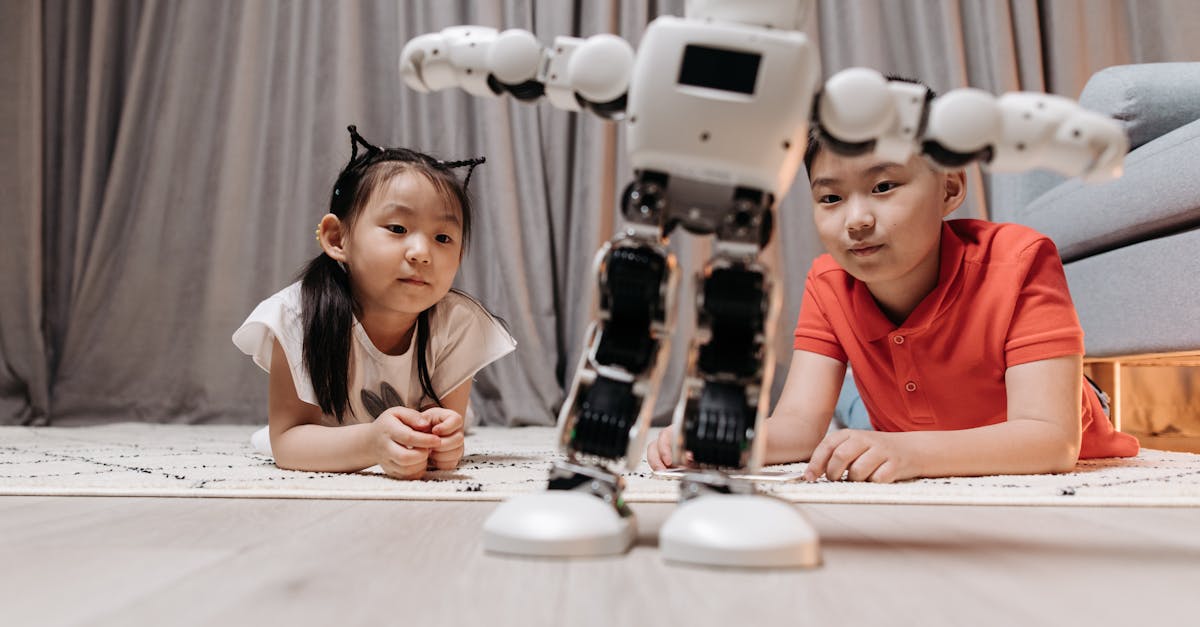
A five-year-old does not need an “AI toy.” They need a robot that does something understandable after they give it a simple instruction: cross a maze, complete a small story mission, or carry out a planned route. The reward is seeing a plan turn into movement, not reading about artificial intelligence.
These exact Amazon.ca listings were checked as current when updated. Stock, price, and seller can change. This guide uses research-based product information, not hands-on testing claims.
Learning Resources Code & Go Robot Mouse Activity Set
The clearest first robot loop for most five-year-olds: build a small maze, enter a route, press Go, and see exactly what needs changing.
Quick Answer
Choose Robot Mouse Activity Set when your child needs the most concrete first coding task. Choose Coding Critters Ranger & Zip when story and pretend pet play are likely to hold their interest. Choose Botley 2.0 when they are already ready for longer routes and you want a screen-free robot with more depth.
All three are robots. This list deliberately excludes non-robot activity sets and unrelated logic games, even when they teach useful sequencing ideas.
What to Look For at Age Five
- A visible command-and-result loop, not remote-control steering.
- One short challenge before a large open-ended box of accessories.
- Battery and storage reality handled by the adult before play begins.
- Enough room on the floor or table to run the first route safely.
- A clean stopping point: one maze, mission, or route.
Our Top 3 Picks
A ready-made maze challenge with screen-free directional coding
Pros
- ✓ Maze pieces and cards give the first session a clear goal
- ✓ No app or account
- ✓ A child can see a route and revise it
Cons
- ✗ Pieces need a dedicated bin
- ✗ Requires batteries
- ✗ Directional coding has a lower long-term ceiling
Robot Mouse is the least abstract place to start. Choose a target, set up one turn, lay out the direction cards, enter the commands, and run it. If the mouse misses, change one command. That is enough coding for a first session. The included maze means the adult does not need to invent a game, although it does create more pieces to put away.
A five-year-old who will stay with a coding task because it is part of a pet-story mission
Pros
- ✓ Screen-free story missions
- ✓ Friendly character creates a reason for the commands
- ✓ Can shift into ordinary pretend play
Cons
- ✗ Less precise route planning than Robot Mouse
- ✗ Small accessories need storage
- ✗ The programming depth stays introductory
Coding Critters uses a story to give each route a purpose. That is useful for a child who would ignore a grid but happily help a dog complete a mission. It is not the most technical choice and should not be bought as a long-term programming system. It is a friendly first robot for children whose play is still strongly character-led.
Screen-free routes, loops, and challenge depth once simple sequences make sense
Pros
- ✓ Core play does not need an app or account
- ✓ Moves beyond a basic route into loops and object-response play
- ✓ Can offer more challenge after the first week
Cons
- ✗ Needs five AAA batteries
- ✗ More pieces to manage
- ✗ Can be too much when a child needs a very short first success
Botley belongs in the five-plus lane, not the general preschool lane. A child enters a full plan through a remote programmer and then watches the robot execute it. Start on a smooth clear floor with a short route. Add an obstacle or loop only after basic turns work. Its extra possibilities are the reason to choose it, but they are not a reason to rush the first session.
A First Session That Stays Child-Led
Set up batteries before the child arrives. Pick one target and explain only the first task. Ask what they predict will happen, let the robot run, then invite one change after a miss. Do not hand over every accessory or explain every mode. If the child asks for another challenge, they are ready for one. If they walk away after a successful route, that is a good ending too.
Noise, Space, and Storage
None of these robots needs a large playroom, but each needs a defined surface. Robot Mouse works on a table or clear floor with its maze contained in one bin. Coding Critters needs enough room for a short mission and a place where its small accessories will not disappear. Botley needs the clearest floor because longer routes and obstacle pieces make the most sense when the robot can travel without bumping into furniture.
Keep batteries, cards, and accessories with the robot rather than treating them as separate household items. A robot that starts in one minute is far more likely to be used than one whose first challenge is finding its missing remote.
Want better toy picks without the research rabbit hole?
Short, practical recommendations by age, need, and budget.
FAQ
Are these toys screen-free?
Their core play is screen-free. Robot Mouse, Coding Critters, and Botley do not require a tablet or app for the activities described here.
Is Botley right for every five-year-old?
No. It is listed for 5+, but Robot Mouse or Coding Critters may be the easier first fit for a child who needs a simpler task or is more interested in story play.
Do these teach real programming?
They introduce sequencing, prediction, testing, and changing a plan. They do not teach typed code or replace a course. Their job is to make an instruction turn into movement in a way a young child can see.
Related Reads
If You Can Only Buy One
Code & Go Robot Mouse Activity Set. It gives a five-year-old the most immediate and understandable first robot challenge.
Want better toy picks without the research rabbit hole?
Get concise recommendations by age, need, and budget.
Where to go next
By age
Best Screen-Free Weekend Toys for 5-Year-Olds
Keep the recommendations age-appropriate for your kid’s stage.
By need
Gifts for Neurodivergent Kids: A Parent's Guide (2026)
Jump to picks focused on ADHD, sensory, and regulation support.
By budget
Best Gifts for Kids Under $25 (2026)
Compare strong options in lower price brackets before you buy.
Related Articles

Sphero indi vs Code & Go Robot Mouse for First Robots
A beginner robot comparison for families choosing between tile-based and maze-based robot play.
Read more →
Best First Robot Toys for Curious Kids
Beginner robot toys for kids who like cause-and-effect, simple commands, and playful problem solving.
Read more →
Robot Factory vs Code & Go Robot Mouse for Younger Kids
A parent-friendly comparison between story-led robot building and simple sequencing play.
Read more →